Guide
TCL Android TV Remote: How to Pair, Fix, and Replace It
A TCL Android TV remote is a Bluetooth voice remote, and you re-pair it by holding HOME and OK together for a few seconds within 3 feet of the TV. Lost or broken? Control the set free with the Google TV app or Smart TV Remote over Wi-Fi, or fit a compatible replacement.
On this page
I've set up two TCL Android TV sets — a small 3-Series in a bedroom and a 5-Series in the den. Both shipped with the same slim voice remote, the one with a D-pad and a Google Assistant mic button up top. My honest take: holding HOME + OK re-pairs it faster than digging through any menu. The catch I keep hitting is that a weak pair of batteries mimics a dead remote exactly, so I swap them before I trust the pairing.
This guide is about the physical remote itself — pairing it, fixing it, running it from your phone, and replacing it. If you want the phone-app route in depth, the TCL Android TV remote app guide walks the Google TV app tap by tap. Newer set with a wide banner up top? That's Google TV — see the TCL Google TV remote guide. Not sure which platform you own? The online remote finder sorts it in a few taps.
The 30-second test: which platform is it?
Before you pair or buy anything, confirm your TCL really runs Android TV. The label sticks to any smart TV, but the platform decides which remote and app you need. One glance at the home screen settles it.
- 1Rows of app icons on a dark bar, with no big banner across the top? That's classic Android TV — everything below is yours.
- 2A wide 'For you' banner filling the top of the screen? That's Google TV, the newer skin over Android TV. The HOME + OK pairing still works, but the Google TV guide fits your set better.
- 3A grid of purple channel tiles? That's a Roku TV, a different system — its remote pairs another way, so use the TCL Roku TV guide instead.
Smart TV Remote
Android TV set, but the boxed remote has gone missing?
Smart TV Remote pairs with it over Wi-Fi — no account, free.
Smart TV Remote
Free · iOS 16+


Method 1: Re-pair the remote with HOME + OK
The remote in a TCL Android TV box is a Bluetooth voice remote, so it pairs to the set rather than only beaming infrared at it. When it stops responding, or you've dropped in a replacement, a fresh re-pair usually fixes it — no deep menus needed. Do this with the TV on and stand close.
- 1Turn the TV on and stand within 3 feet. Power the set on and get within about 3 feet (1 meter) of it. TCL's pairing needs the remote close, and it only works while the TV is on and awake — not from standby. Wait for the home screen before you start.
- 2Press and hold HOME and OK together. Hold the HOME button and the OK button in the center of the D-pad at the same time. Keep both down — don't tap them. After a few seconds the remote drops into Bluetooth pairing mode.
- 3Wait for the on-screen confirmation. Watch the screen for a 'remote paired' message or a short progress bar, then release both buttons. If nothing shows in about 10 seconds, let go and hold HOME + OK again from the start.
- 4No luck? Try fresh batteries or the Settings menu. A failed pair is usually weak batteries, not a broken remote, so drop in a fresh pair and retry. If a second remote or a USB mouse can navigate, open Settings › Remotes & Accessories › Add accessory and pick the remote from the list.
Catch: because it's Bluetooth, aiming at the TV doesn't matter — so a remote that won't pair after fresh batteries and a power-cycle is usually faulty. TCL's own remote pairing page lists model notes if your buttons look different.
Fix 1: When the remote still won't respond
Buttons dead, or only some working? Run these in order before you write the remote off. Most "broken" Android TV remotes come back with one of the first two steps.
- 1Fresh batteries first. A weak pair commonly explains a remote that pairs then drops, or won't pair at all. Swap both cells, not one. If the batteries you just put in aren't actually dead, pull them back out, wait 10 seconds, and reinstall them — a full reseat resets the remote's Bluetooth radio even when power isn't the problem.
- 2Re-pair with HOME + OK, as in Method 1. A dropped Bluetooth link looks exactly like a dead remote from the couch. Before you try, move any Bluetooth headphones, soundbars, or game controllers a few feet away — they share the same 2.4 GHz band and can block the pairing handshake.
- 3Power-cycle the TV. Unplug it at the wall for a full 60 seconds, plug it back in, and wait for the home screen — this clears a stuck Bluetooth stack. A shorter unplug often isn't enough to drain the residual charge that keeps the radio stuck.
- 4Check the front IR window if only power or volume are dead. Some TCL remotes send those over infrared, so a dirty or blocked sensor kills them while Bluetooth navigation still works.
Still nothing? The TCL Android TV remote not working guide matches each symptom — dead buttons, no voice, an IR-only power key — to its fix, and the general TCL remote not working checklist sorts a dying remote from a TV-side fault.
Smart TV Remote
Still no response after fresh batteries and a re-pair?
Skip the wait — Smart TV Remote runs the TV from your phone, free.
Smart TV Remote
Free · iOS 16+
Method 2: Use your phone as the remote
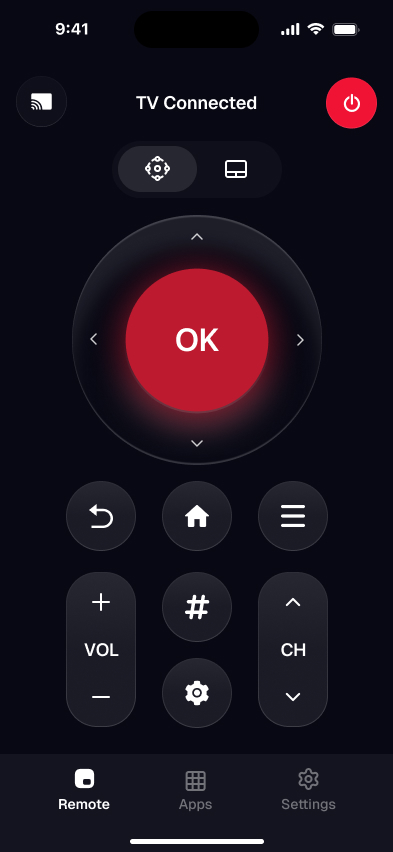
No remote in hand, or you'd rather not chase one down? Your phone covers a TCL Android TV over the same Wi-Fi. Two apps do it. Google's free Google TV app is the official phone remote — it replaced the retired Android TV Remote Control app. Smart TV Remote is a universal app that skips the sign-in and also drives a TCL Roku or Google TV, which helps in a mixed house.
- 1Download Smart TV Remote free from the App Store on your iPhone or iPad.
- 2Put the phone on the same Wi-Fi as the TCL — the app reaches it over the network, not infrared, so both must sit on one band.
- 3Open the app and let it scan. Tap your TCL when it shows in the list. No account, no pairing code.
- 4Use the D-pad, OK, volume, playback, and the phone keyboard for fast search.
Catch: any phone remote needs the TV on and on the same network — it can't wake a fully unplugged set or reach one over cellular. For the official Google TV app walkthrough instead, the TCL Android TV remote app guide has the tap-by-tap version, and Google's Google TV Help covers its remote screen.
Method 3: Replace a lost or broken remote
If the remote is gone or cracked and the phone app isn't enough, a replacement fits. You have two routes, and they behave differently on a Bluetooth set.
- 1A matching TCL voice remote. Flip any spare over and read the model code on the back, then buy the same one — matching it keeps the voice button and Bluetooth working. Pair it with HOME + OK once it arrives.
- 2A universal remote. A cheap universal handles power, volume, and input over infrared, but a Bluetooth-only Android TV may not take its D-pad, so confirm the model supports your set before buying. Program it with the TCL code from its booklet.
Buying rather than re-pairing? The lost TCL remote guide compares an original voice remote, a universal, and an aftermarket one. More options across platforms sit in the remote for TCL TV rundown, and the pair a TCL remote to your TV guide covers linking a fresh one on any platform.
Which route gets you control back?
The right route depends on whether the remote is present, lost, or broken for good — and whether you want a physical clicker or your phone. Here's how the three compare on what matters.
| What you get | Boxed voice remote | Phone app | Replacement remote |
|---|---|---|---|
| How it connects | Bluetooth (some IR) | Home Wi-Fi | Bluetooth or IR |
| Voice search | Yes | Google TV app: yes | Voice remote: yes |
| Controls volume & power | Yes | Yes | Yes |
| Works without Wi-Fi | Yes | No | Yes |
| Account required | None | Universal app: none | None |
| Cost | In the box | Free | Paid |
| Best when | Remote's there, needs pairing | Remote lost, want it now | Remote broken for good |
My pick for most people: re-pair the boxed remote if it's still around, and keep the free phone app installed as the backup that never slides into the couch cushions. Buy a replacement only once the original is truly gone or dead.
Frequently Asked Questions
How do I pair my TCL Android TV remote?
Turn the TV on, stand within 3 feet, and hold HOME and OK together until a pairing message shows on screen, then release. The remote uses Bluetooth, so aiming at the set doesn't matter. If it won't take, put in fresh batteries and try again, or open Settings › Remotes & Accessories › Add accessory with another input device.
Why is my TCL Android TV remote not working?
Most often it's weak batteries or a dropped Bluetooth pairing, not a broken remote. Swap both batteries first, then re-pair by holding HOME + OK away from other Bluetooth gear, which can block the handshake. If it still does nothing, unplug the TV for a full 60 seconds to reset it. A remote that stays dead after all three is likely faulty and needs replacing.
Can I use my phone as a TCL Android TV remote?
Yes. Google's free Google TV app is the official phone remote for a TCL Android TV, and a universal app like Smart TV Remote does the same without a sign-in. Both work over Wi-Fi, so your phone and the TV must share one network. No iPhone has an infrared blaster, so a phone remote can't reach the set off the network.
Does the TCL Android TV remote use infrared or Bluetooth?
Mostly Bluetooth. The voice remote pairs over Bluetooth for navigation, the OK ring, and voice search, which is why you pair it with HOME + OK. Some models still send power and volume over infrared as a fallback, so those keys can respond before the remote is paired. Aiming only matters for the infrared ones.
Is TCL Android TV the same as Google TV?
Not exactly. Google TV is the newer interface that runs on top of Android TV, shipping on TCL sets from about 2021. Older TCL models show the classic Android TV home screen with rows of app icons. The remotes and phone apps overlap — the Google TV app pairs with both — so the difference rarely changes what you do.
What can replace a lost TCL Android TV remote?
A matching TCL voice remote is the closest fit — check the model code on the back of any spare and buy the same one, then pair it with HOME + OK. A universal remote handles power, volume, and input over infrared, but a Bluetooth-only set may not accept its D-pad. A free phone app is the fastest no-cost stand-in.