Interactive tool
TCL TV Remote Online
Lost the remote or just want your phone to run the TV? Answer up to three taps and the finder routes you to the one method that works for your exact TCL — Roku TV, Google TV, Android TV, or Fire TV.
Which TCL TV do you have?
Each TCL runs one of four systems, and the way to control it without the remote differs. Pick yours — or identify it in two taps.
The finder covers the four systems TCL ships. It runs entirely in your browser — nothing is sent to us or to your TV from this page. New TCL platforms are added as they launch.
Smart TV Remote
The finder tells you what to do — the app is what actually does it.
Smart TV Remote is the free app every result points to: it drives your TCL over Wi-Fi with a full D-pad, volume, and keyboard.
Smart TV Remote
Free · iOS 16+


Why there's no on-screen d-pad on this page
A lot of “TCL remote online” searches expect a d-pad right in the browser that talks to the TV by its IP address. It can't work that way, and it's worth being straight about why: your browser deliberately blocks a secure web page from reaching a device on your local network. Your TCL lives on that network; the web page can't cross to it.
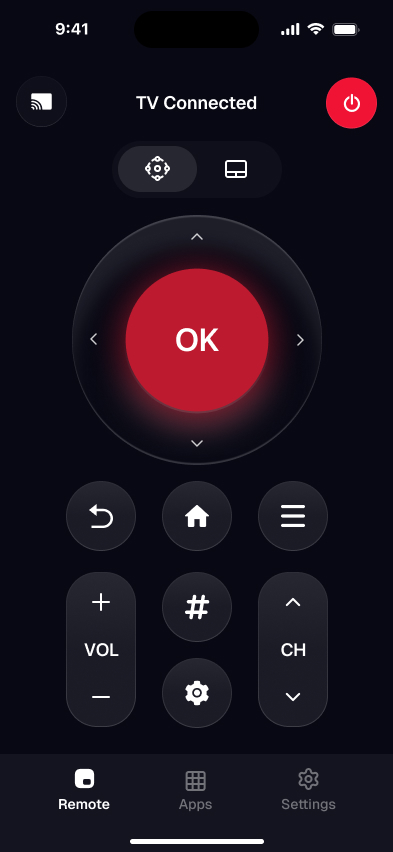
A native app isn't bound by that browser rule. That's the whole reason the finder's every result ends the same way — identify your TV here, then let Smart TV Remote take over the actual button presses over Wi-Fi. The illustration shows the app in that role: your phone standing in for the plastic remote.
For the full comparison of every route, see the TCL TV remote app guide. Remote totally gone? Weigh replacements in choosing a remote for a TCL TV, and if a physical remote just died, run the TCL remote troubleshooter. On the older Android TV layout, the TCL Android TV remote guide covers pairing the boxed remote with HOME + OK.
TCL TV remote online — FAQ
Can I use a TCL TV remote online in my browser without installing anything?
You can use this page to identify your exact TCL and get the precise steps online, for free, with nothing installed. The actual button-pressing, though, runs in an app: a secure web page isn't allowed to reach a device on your home network — browsers block that as a mixed-content security risk. That local-network barrier is exactly why a native app exists, and why an on-screen d-pad on a web page can't really drive your TV.
How do I control my TCL without the remote and without a Roku or Google account?
Use a universal remote app over Wi-Fi — it connects to a TCL Roku TV or a TCL Google TV without any account sign-in. TCL's own apps are split by platform and each wants an account: the Roku app needs a Roku login, the Google TV app needs a Google login. The finder above points you to whichever route fits what you have.
I don't know which TCL I have — how do I find out?
Tap "Not sure which one I have" in the finder above and pick what your home screen looks like. Purple channel tiles mean a Roku TV; "For you" rows tied to a Google account mean a Google TV; an older apps-in-a-row layout is Android TV; Amazon's UI is a Fire TV. No model number or sticker needed.
Does an online TCL remote work without Wi-Fi?
No. iPhones have no infrared blaster, so every phone-based TCL remote — official or third-party — talks to the TV over Wi-Fi, and the phone and TV must be on the same network. If that's a problem for you, see our guide on using a TCL remote app without the usual home Wi-Fi.
Can a browser or phone remote turn my TCL TV on when it's fully off?
No. A network remote can only reach a TV that's already on the network, so it can't cold-boot a set that's fully off — that needs the TV's own power button or a linked HDMI-CEC device. Left in standby rather than switched off, a TCL can be woken from a Wi-Fi remote app.
Smart TV Remote
Done identifying your TCL?
Get Smart TV Remote free and control it from your phone in a tap — no plastic remote, no account, no IR.
Smart TV Remote
Free · iOS 16+