Interactive tool
HDCP Error on Roku — Isolate the Fault Link by Link
Enter the code on screen — HDCP, 009, 014.30, 014.40, 014.50, 003, 016, or 020 — or pick the symptom. The isolator asks you to change one link, remembers what you already ruled out, and names the culprit when the path ends.
What does the Roku show right now?
Pick the code or the screen you actually see. HDCP faults live on the HDMI chain; 009 and 014.x live on Wi-Fi. The next test depends on which one you have — a flat list of tips can't route that.
Runs entirely in your browser — nothing is sent to us. Steps follow Roku's HDCP and Wi-Fi support articles and TCL's published wireless error-code pages (checked for this build). Error 020 is not in Roku's public Wi-Fi table; Community support routes it to the HDCP article, so the tool does too. The list of codes can grow as more official mappings are confirmed.
Smart TV Remote
Named the bad cable, port, or Wi-Fi setting — next you still have to open Display type or Network on the TV.
Smart TV Remote puts those Roku menus on your phone over Wi-Fi so the isolator’s answer isn’t stuck behind a missing plastic remote.
Smart TV Remote
Free · iOS 16+


Why a tip list can't replace this isolator
Forums paste the same seven HDMI tricks in a random order. HDCP only yields when you change one hop, read the result, and refuse to retest links you already cleared. Skip that memory and you reseat a good cable after you already proved the AVR was the break.
Wi-Fi codes look similar in search results and aren't the same fault. 009 is “on the router, no internet.” 014.40 is password or MAC filter. 014.30 / 014.50 start as weak signal; 014.50 also has TCL's WPA-PSK tip. 003 is an update path. 016 is a dropped session when a channel launches. The isolator forks on the code first so you don't run an HDMI bypass for a DNS problem.
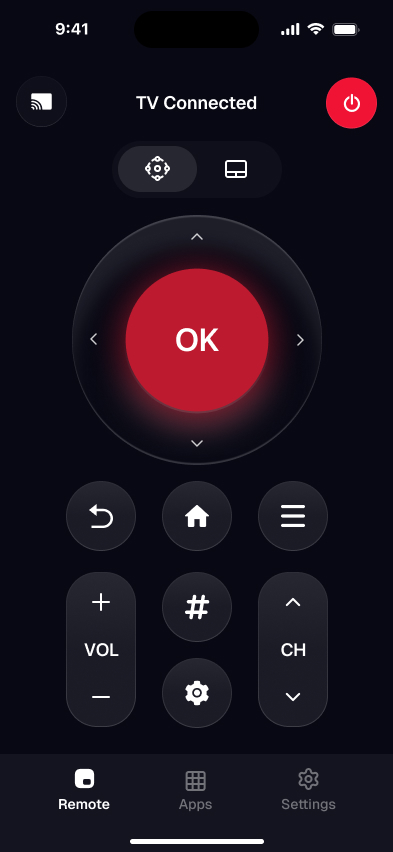
After the picture or network is back, use the phone remote in the screenshot to finish Settings. Related reads: AirPlay on Roku (HDCP black-screen when mirroring paid apps), connect a TCL TV to Wi-Fi without a remote, and the TCL black-screen diagnostic when the panel itself is dark.
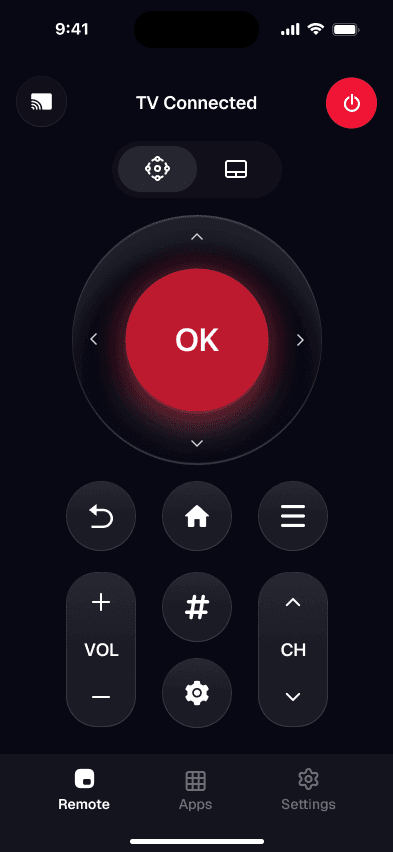
App screenshot — open Display type & Network from the phone
Roku HDCP & error codes — FAQ
What does HDCP Error Detected mean on a Roku?
It means the HDMI link between your Roku and the TV — or an AVR, soundbar, or switch in between — failed the HDCP copy-protection handshake. Roku shows that message or a purple screen when the protected path isn't complete. For 4K or HDR, every device and cable in the chain must support HDCP 2.2. The isolator above starts with reseating and power-cycling, then bypasses middle boxes, then ports and cables, then Display type.
What is Roku error 009?
On TCL Roku TVs, error 009 means the set joined the router but has no internet. Check whether a phone on the same Wi-Fi can browse. If nothing online works, reboot the modem and router or contact the ISP. If other devices are fine, restart the TV next. The isolator walks that order and remembers what you already ruled out.
What do Roku errors 014.30, 014.40, and 014.50 mean?
TCL documents 014.30 and 014.50 as weak wireless signal when the password is right. 014.40 (and 014.41) point at a wrong password, the wrong network name, or MAC filtering on the router. For 014.50 specifically, TCL also suggests trying WPA-PSK (TKIP) on the router after a reboot. Roku's own Wi-Fi table groups these under wrong password, weak signal, or can't-connect buckets — the isolator picks the matching first test from the code you enter.
Is Roku error 020 an HDCP problem?
Error 020 is not listed in Roku's public Wi-Fi error-code table. Roku Community support staff route 020 reports to the official HDCP Error Detected article, so this isolator treats 020 as an HDCP/HDMI-chain fault and says so in the caption. If your screen shows a different message with 020, start from the symptom buttons instead of the code box.
Why use a phone app after the isolator names the fault?
Several finishing steps live in Roku Settings — Display type for HDCP 2.2 fallbacks, Network setup for 009/014/016, System restart for stubborn codes. A missing or dead plastic remote blocks those menus even after you know the culprit. Smart TV Remote opens the same menus over Wi-Fi from your phone so the diagnosis turns into an actual fix.
Smart TV Remote
Isolator done — you still need a keyboard for Wi-Fi passwords and a D-pad for Display type.
Smart TV Remote is that control layer on your iPhone over Wi-Fi: free, no account, built for TCL Roku TVs.
Smart TV Remote
Free · iOS 16+