Guide
Why Does My TCL TV Turn On By Itself?
Your TCL TV most often turns on by itself because HDMI-CEC lets a connected device — a soundbar, game console, or streaming stick — power it up, or a stuck remote button keeps sending a signal. Fast TV Start standby, a scheduled timer, or an outdated firmware bug can also wake it. Turn HDMI-CEC off first.
On this page
I've chased this on a TCL 4-Series Roku TV and a TCL Q6 Google TV. Both times it was HDMI-CEC — a PlayStation leaving rest mode flipped the TV on with it. My honest take: check the connected devices before you blame the set. The one limit — a genuine firmware bug can outlast every setting you change until an update lands.
A TCL TV waking on its own looks spooky, but it's almost always one of five things, and four of them are a two-minute settings change. Work the fixes below in order. The first two catch most cases before you touch a menu.
The 30-second test
Pin down the cause before you dig through menus. What triggers the power-on tells you which fix you need.
- 1Unplug every HDMI device — soundbar, console, streaming stick, cable box. If the TV stops waking, it's HDMI-CEC — Fix 1.
- 2Pull the batteries out of the plastic remote. If it stops, a stuck button was the cause — Fix 2.
- 3Does it wake with nothing attached and no remote in the room? Suspect Fast TV Start standby — Fix 3.
- 4Does it turn on at the same time every day? Look for a power-on timer — Fix 4.
- 5Is it random and it started after an update? That points to a firmware bug — Fix 5.
Smart TV Remote
Every fix below runs through the TV's own Settings menus — and a lost or stuck remote is exactly what stalls you there.
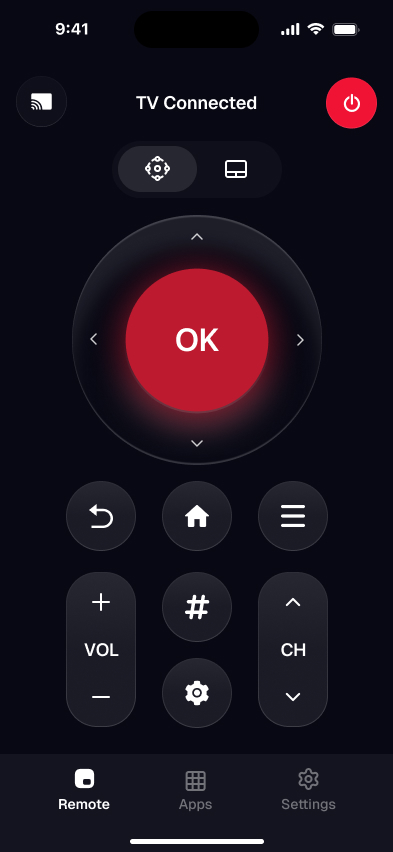
Smart TV Remote puts a full D-pad, power, and volume on your phone over Wi-Fi, free.
Smart TV Remote
Free · iOS 16+


Fix 1: Turn off HDMI-CEC
Start here, because a connected device waking the TV is the most common cause by far. HDMI-CEC lets gear on the HDMI ports control each other, so a console leaving rest mode or a cable box on a recording schedule can power the set on.
- 1TCL Roku TV: press Home, open Settings > System > Control other devices (CEC), and turn off 1-touch play.
- 2TCL Google or Android TV: open the inputs menu and turn off HDMI-CEC — it's labeled CEC or T-Link on some sets.
- 3TCL Fire TV: open Settings > Display & Sounds > HDMI CEC Device Control and switch it off.
The trade-off: with CEC off, your soundbar or console won't auto-switch the input anymore. If you want to keep that, leave CEC on and turn off the auto-power feature on the device that keeps waking instead. Not sure which TCL platform you're on? The free online TCL remote finder identifies your set in a couple of taps and points you to the right menu.
Fix 2: Rule out a stuck remote
A jammed, cracked, or wet power key holds the signal down and wakes the TV over and over. This is the fix when the set turns on again seconds after you switch it off, with no HDMI device involved.
- 1Take the batteries out of the plastic remote and leave them out for a full day.
- 2If the TV stops waking, the remote was the culprit — clean around the buttons or replace it.
- 3On an older IR TCL, also move it out of direct sunlight and away from other IR remotes, which can trip the sensor.
With the batteries out, you still need to run the TV. Smart TV Remote is the free iPhone app for that: join the same Wi-Fi as the set, open the app, let it auto-find your TV, and tap to connect — you get an on-screen power button, D-pad, volume, and a keyboard. If the plastic remote turns out to be dead for good, our guide to a remote for a TCL TV weighs the replacement options, and the TCL remote not working fixes cover a remote that's misbehaving rather than truly broken.
Fix 3: Turn off Fast TV Start
Fast TV Start keeps the set in a low-power standby so it boots quickly and answers voice commands. That same standby can let the TV wake on a network ping or a voice trigger you didn't mean to send.
- 1TCL Roku TV: open Settings > System > Power > Fast TV start and turn it off.
- 2TCL Google or Android TV: turn off the quick-start or network-standby setting in the power or system menu.
- 3Test overnight. If the TV stays off, standby wake was the cause.
With Fast TV Start off, the TV takes a few seconds longer to come on and can't wake to "Hey Google" or an app anymore. That's the price of stopping the spontaneous wake — a fair trade if it fixes it.
Smart TV Remote
Flipping CEC, Fast Start, and timer settings means a lot of one-button-at-a-time clicking — hard with a remote that's part of the problem.
Smart TV Remote gives you the full keypad on your phone, free, over the Wi-Fi you already have.
Smart TV Remote
Free · iOS 16+
Fix 4: Clear a power-on timer
If the TV switches on at the same time each day, something is scheduling it. Some TCL Google and Android TVs ship with a Timer feature that includes a power-on time.
- 1TCL Google or Android TV: open Settings, find the Timer setting, and set the power-on timer to Off.
- 2TCL Roku TV: there's no scheduled power-on — only a sleep timer that turns the set off — so a Roku waking on a schedule is a CEC device, not a timer.
- 3Also check smart-home routines: a Google Home or Alexa schedule can power the TV on over CEC.
A clock-like pattern is the giveaway here. Random wakes almost never come from a timer — jump to Fix 5 for those.
Fix 5: Update firmware, then reset
A software bug can wake the TV no matter what you switch off. This is the fix when the wakes are random and started right after an update, or when nothing above changed anything.
- 1TCL Roku TV: open Settings > System > System update > Check now and install anything it finds.
- 2TCL Google, Android, or Fire TV: open the System update screen in Settings and update.
- 3Still happening after the update? Factory reset from the same System menu — it wipes apps and logins, so keep it for last.
For the exact menu path on your model, TCL's support site and Roku's support site keep the current steps. If a reset doesn't hold and the TV still wakes cold, that's a hardware fault for TCL support, not a setting.
Causes and their fixes
Match how your TV behaves to the likely cause, then go straight to the fix.
| Cause | How to tell | Fix |
|---|---|---|
| HDMI-CEC device | Wakes when a console or soundbar turns on | Fix 1 |
| Stuck remote button | Stops when you pull the remote batteries | Fix 2 |
| Fast TV Start standby | Wakes with nothing attached and no remote | Fix 3 |
| Scheduled timer | Turns on at the same time daily | Fix 4 |
| Firmware bug | Random, started after an update | Fix 5 |
My rule of thumb: run the 30-second test first, because it tells you which one fix to make instead of trying all five. In my own experience, HDMI-CEC and a stuck remote come up first, so start there and save the firmware reset for last. If you'd rather skip the plastic remote entirely while you test, the TCL TV remote app guide shows how to run the set from your phone.
Frequently Asked Questions
Why does my TCL TV turn on by itself?
Most often HDMI-CEC is the cause: a soundbar, game console, or streaming stick powers on and wakes the TV with it. A stuck power button on the remote, Fast TV Start standby, a scheduled timer, or a firmware bug can also do it. Unplug the HDMI devices first — if the waking stops, CEC was it.
Why does my TCL Roku TV turn on by itself?
On a TCL Roku TV, check 1-touch play first — it's the CEC feature that lets a connected device turn the set on. Open Settings > System > Control other devices (CEC) and turn 1-touch play off. A Roku TV has no scheduled power-on, so a set waking at a set time points to a CEC device, not a timer.
Can HDMI-CEC turn my TCL TV on by itself?
Yes. HDMI-CEC lets devices on the HDMI ports control each other, so a console leaving rest mode or a cable box on a recording schedule can power the TV on. Turn CEC off on the TV (1-touch play on Roku) to stop it — or turn the feature off on the device that keeps waking, so you keep CEC everywhere else.
Why does my TCL TV turn on by itself at night?
A TV that wakes at night is usually a connected device on a schedule — a PVR recording, a console downloading updates, or a smart speaker routine — reaching the TV over HDMI-CEC. Turn off 1-touch play or the device's own auto-power feature. A set power-on timer, if your TCL has one, is the other likely cause.
Can a stuck remote make my TCL TV turn on?
Yes. A jammed, cracked, or wet power button holds the signal down and wakes the TV over and over. Take the batteries out of the plastic remote for a day — if the waking stops, the remote is the problem. Clean around the keys or replace it, and control the set from your phone in the meantime.
How do I stop my TCL TV from turning on by itself?
Work through the causes in order: turn off HDMI-CEC (1-touch play on Roku), pull the remote batteries to rule out a stuck button, turn off Fast TV Start, clear any power-on timer, then update the firmware. One of these stops it in almost every case; a firmware bug is the rare hold-out that needs an update.