Guide
How to Change Roku TV Screensaver Settings
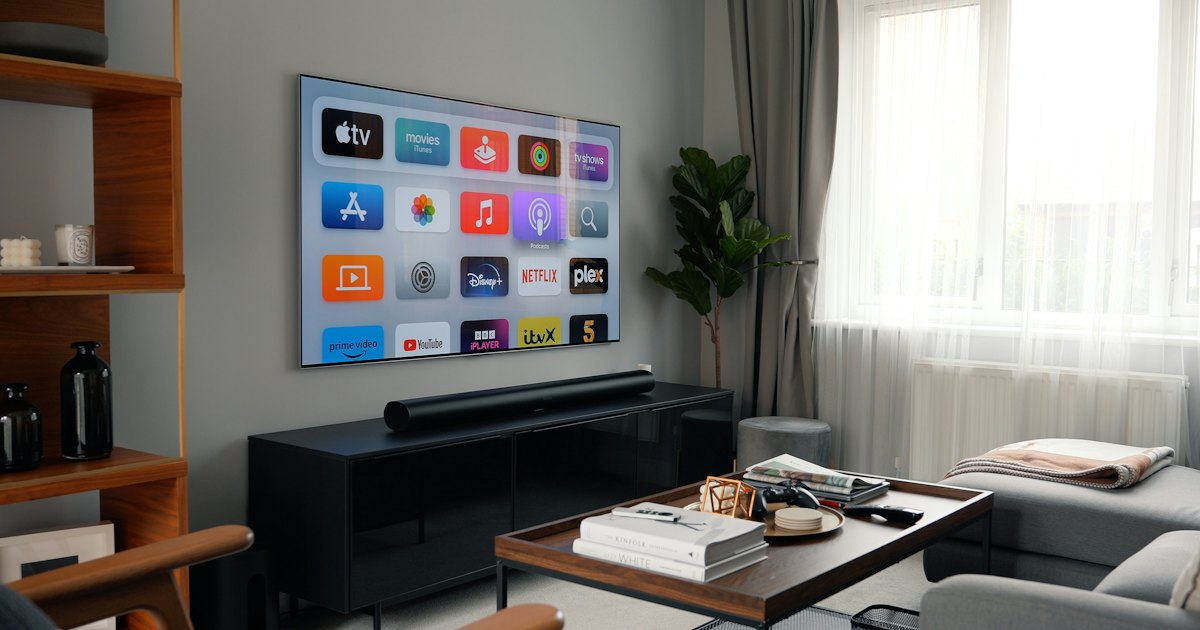
Roku TV screensaver settings live under Settings, then Themes, then Screensavers on current Roku OS. Open that menu, choose a screensaver, and set the wait time. Add your own photos from the Roku mobile app if a Custom option appears. A plastic remote or Smart TV Remote can move through the same menus.
On this page
I keep a TCL 43S435 4-Series Roku TV in the kitchen. It hides the screensaver controls in the same three taps: Settings, Themes, Screensavers. Short waits bug me during credits. Honest limit: I have not checked every older TCL Roku TV, so if Themes is gone, hunt under System — and if your set runs Google TV instead of Roku OS, this menu path will not match at all.
The 30-second test: screensaver, sleep, or dim?
Confirm you are editing the screensaver, not a power or picture feature, before you change anything. One look at the idle screen tells you which menu you need.
- Art, landscapes, or your photos fill the screen and the TV stays on. That is the screensaver. Use Method 1.
- The set powers down or the screen goes fully black. That is a sleep timer or auto power-off, not screensaver settings.
- The picture only gets darker and no slideshow starts. That is a picture or energy setting. Leave the screensaver menu alone.
Still inside Netflix or YouTube? Press Home first. Settings will not show the Themes row while an app owns the screen.
Smart TV Remote
Clicker missing before you can open Settings?
Smart TV Remote puts a D-pad and OK on your phone over Wi-Fi — free, no account.
Smart TV Remote
Free · iOS 16+


Method 1: Change the screensaver and wait time
Roku TV screensaver settings sit three taps from Home on current Roku OS. Change the look and the wait time here. The new art starts after that wait once the TV sits idle.
- 1Press Home so you leave the app you were watching.
- 2Open Settings, then Themes, then Screensavers.
- 3Highlight a screensaver in the list and press OK to preview or select it.
- 4Open the wait-time row and pick how long the TV should sit idle before the art starts.
Catch: wait times are whatever Roku lists on your build. I will not invent a 2-minute or 10-minute row that your set may not show. Pick from the list on screen. Themes missing? Walk Settings for the word Screensaver — some older firmware parked it under System.
Method 2: Add your own photos as the screensaver
Personal photos use the Custom screensaver, when your TV offers that row. The TV picks the slot. The Roku mobile app is the usual place to add the pictures.
- 1On the TV, open Settings, Themes, Screensavers and look for a Custom option.
- 2Select Custom if it appears. Skip this method if that row is missing — your build does not offer personal photos here.
- 3On your phone, open the official Roku app and sign in with the same Roku account the TV uses.
- 4Find the photos or screensaver section in the app and add the pictures you want. Labels move between app versions, so search those words if the tab is not obvious.
Catch: no Custom row means this path is closed on that firmware. Do not hunt a hidden USB trick I have not confirmed on these TCL sets. The phone and TV must share one Roku account or the pictures will not show. Need the official app paired first? See the TCL Roku TV remote app guide.
Smart TV Remote
Already on the couch and the plastic remote is gone?
Smart TV Remote finds your TCL on the same Wi-Fi so you can tap Themes and Screensavers from the phone.
Smart TV Remote
Free · iOS 16+
Method 3: Change screensaver settings from your phone
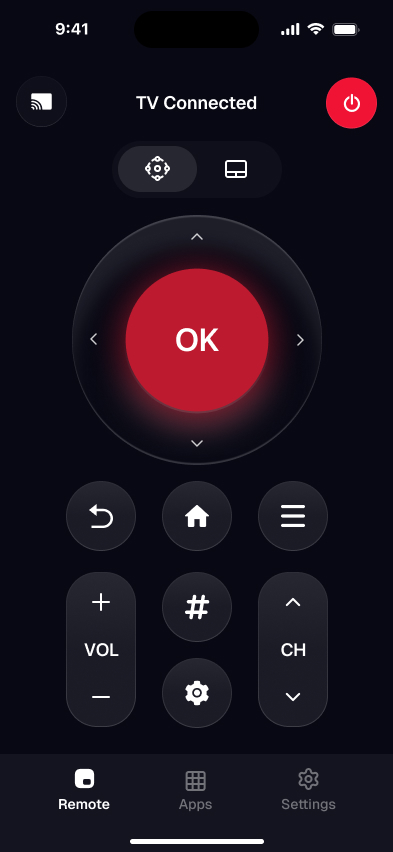
A phone on the same Wi-Fi can open the same Settings path when the clicker is missing. Smart TV Remote finds a compatible TCL on the network, then you steer with the on-screen D-pad, OK, Back, and Home. The official Roku app can do the same after a free account sign-in.
- 1Get Smart TV Remote free on iPhone or iPad (iOS 16.0 or later).
- 2Join the exact same home Wi-Fi as the TV. The app talks over that network, not infrared.
- 3Open the app and let it scan. Tap your TCL in the list — no pairing code.
- 4Press Home on the on-screen remote, then open Settings, Themes, Screensavers and finish Method 1 or Method 2.
Catch: the TV must be on and on that Wi-Fi. A set that is unplugged cannot be woken from a phone. Guest networks and split 2.4 / 5 GHz names block the scan. Full first-time pairing is in how to connect your phone to a TCL TV as a remote. No home router at all? Read how to use a TCL TV remote app without Wi-Fi. Roku Support is the other official place to confirm platform menus.
Method 4: Slow down or stop the screensaver
A long wait, or Off when the list includes it, is how you stop the slideshow from interrupting credits. Stay in the screensaver menu. Do not hunt a power setting unless the 30-second test said the TV actually turns off.
- 1Press Home, then open Settings, Themes, Screensavers.
- 2Open the wait-time list.
- 3Choose Off if you see it. Otherwise choose the longest wait on the list.
- 4Exit Settings and leave the TV idle for that wait so you can confirm the new behavior.
Catch: not every build shows Off. The longest wait is the honest fallback. A sleep timer still shuts the TV down even after you delay the art. These steps are for Roku OS. A TCL Google TV uses a different settings tree and is not this menu.
Which screensaver setting does what?
Use the row that matches the job. Each path starts from Home so you are not stuck inside an app.
| Job | Where | What you get |
|---|---|---|
| Pick new art | Settings › Themes › Screensavers | The look that plays when the TV sits idle |
| Change how soon it starts | Same menu, wait-time list | Idle delay before the slideshow |
| Show your photos | Custom + Roku mobile app | Personal pictures, only if Custom appears |
| No plastic remote | Phone on the same Wi-Fi | Same three menus via D-pad and OK |
| Stop the interruptions | Off or longest wait | Less slideshow time; sleep timer is separate |
My pick on the 43S435 in the kitchen: a shorter wait, since nobody sits through credits there. On a set where photos matter more than speed, a longer wait with Custom photos makes more sense. All of this starts from the Settings menu on a Roku TV, the same place you tune the best Roku TV picture settings.
Frequently Asked Questions
How do I change the screensaver on my Roku TV?
Press Home, then open Settings, Themes, and Screensavers. Choose a screensaver from the list and set a wait time. The new look starts after that wait when the TV sits idle. Use the D-pad and OK on the plastic remote, or a phone remote if the clicker is gone. A TCL that runs Google TV does not have this Roku menu.
How do I turn off the screensaver on my Roku TV?
Open Settings, Themes, Screensavers, then check the wait-time list. If Off appears, choose it. If Off is missing, pick the longest wait your set shows. That delays the art; it may not kill it for good. A sleep timer is a different switch and still powers the TV down. Confirm you are editing screensaver wait time, not Auto power savings.
Where are the Roku TV screensaver settings?
Roku TV screensaver settings sit at Settings, Themes, Screensavers on current Roku OS. Press Home first so you leave the app you were watching. Some older builds listed the same items under System. If Themes is missing, walk the Settings list and look for the word Screensaver. The path is a Roku OS menu, not a TCL-only screen.
How do I put my own photos on my Roku TV screensaver?
Choose Custom on the TV if that screensaver option appears. Then add pictures from the Roku mobile app while signed into the same Roku account the TV uses. App labels change with updates, so search the app for photos or screensaver. No Custom row means your build does not offer personal photos from that menu.
Why does my Roku TV screensaver keep coming on?
The screensaver starts after the wait time you set, once the TV sits idle. A short wait makes it feel like the art never stops. Open Settings, Themes, Screensavers and pick a longer wait. Also check you are not mixing it up with a sleep timer, which turns the set off instead of showing pictures.
Can I change Roku TV screensaver settings without the remote?
Yes. A phone on the same Wi-Fi can drive the Roku menus. Smart TV Remote finds the TV, then you tap D-pad and OK to open Settings, Themes, and Screensavers. The official Roku app can do the same after you sign in. Both need the TV powered on and joined to the network.