Guide
How to Find the 4-Digit Universal Remote Code for a TCL TV
Most universal remotes use a 4-digit code to control a TCL TV, but there is no single number — the code is tied to your remote's brand, and TCL is listed under several. Find your 4-digit code in the remote's manual or the maker's online finder, run auto code-search, or skip codes with a phone app.
On this page
I keep a TCL 3-Series (32S335) in the bedroom and drive it with a GE 4-device universal remote when the Roku clicker wanders off. So I have typed a lot of 4-digit codes at that TV. My honest take: entering the code by hand is fastest when you already have the number, and the auto search saves you when you don't. The catch I warn people about — a 4-digit code turns the TV on and changes volume, but it can't open the smart menu, so launching an app still needs the real remote or a phone.
Below are four ways to make a universal remote drive a TCL TV, ordered by how most people land here: you have a remote in hand and it's asking for a code. Each has exact steps and the real limit. If the remote acting up is the TV's own boxed one, start with the TCL remote not working checklist instead.
The 30-second test
Your remote decides the route, so check it before hunting a number. The buttons on it and the digit count on the setup screen tell you which method fits.
- 1Does the remote have a Setup or Code Search button? Then it takes a stored code — use Method 1 or Method 2.
- 2Did the setup screen ask for exactly four digits? Enter a 4-digit TCL code (Method 1). Asked for three or five? Same steps, different length.
- 3Is it a cable or streaming remote (Xfinity, DirecTV, Spectrum)? Program it through your provider's setup (Method 3).
- 4Want the full smart menu, not just power and volume? A phone app over Wi-Fi (Method 4) reaches every button.
Smart TV Remote
Don't want to hunt a number at all?
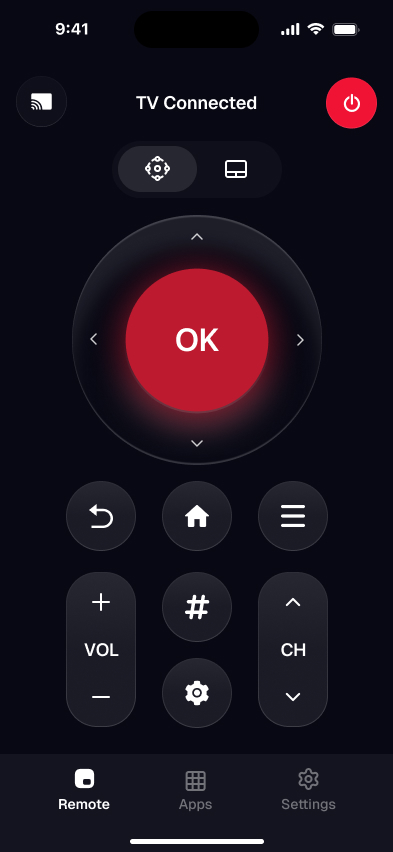
Smart TV Remote skips the codes and puts the TCL remote on your phone over Wi-Fi.
Smart TV Remote
Free · iOS 16+


Why there's no single 4-digit TCL code
Search "TCL universal remote code 4 digit" and you expect one magic number. There isn't one. Codes are specific to the remote's brand and model, not to the TV. A GE remote's TCL code is a different number from a One For All or an RCA code, because each maker builds its own code table.
Code length differs too. Four digits is the most common format, but some remotes use three digits and others use five. So a number you copy from a random list only works if it came from your exact remote's manual. That's why the auto search in Method 2 is the safe fallback — it lets the remote find its own working code without you guessing.
One more truth worth knowing up front. These codes travel over infrared, so they cover power, volume, and input only. The TV's Home screen, arrow pad, and app buttons need a smart-platform remote or the phone app in Method 4.
Method 1: Enter your remote's 4-digit TCL code
This is the fix when you know the number. Entering the code directly is faster than searching, and it's what the setup screen is asking for when it shows four blank digits.
- 1Find your remote's 4-digit TCL code. Look in the printed manual or the maker's online code finder, searched by the remote's own brand and model — not by the TV. TCL is a listed brand in every major remote's table.
- 2Turn the TCL TV on. Power the TV on with its own button or the boxed remote, so you can watch the code take effect as you enter it.
- 3Enter setup mode. Press and hold Setup until the indicator light stays on, then press the TV device button. Button names vary by remote, so check its manual for the exact keys.
- 4Type the 4-digit code. Enter the code on the number pad, then check the indicator light. What a steady or flashing light means varies by remote, so its manual is the guide. If the code doesn't stick, try the next TCL entry.
- 5Test power, volume, and input. Confirm each one works. If any is dead, repeat with the next TCL code on the list, since brands often have several entries.
A quick caveat: a code can handle power but not volume. If that happens, keep trying the other TCL codes for your remote. GE lists its codes and the setup steps on its official universal remote support page.
Method 2: Run auto code-search if you don't have the code
No number in hand? Auto code-search makes the remote cycle through every TV code it stores and send each one until the TV reacts. Nearly every universal remote has it — GE, One For All, RCA — though the button names differ.
- 1Turn the TCL TV on so the remote has a live target to test against.
- 2Hold the Setup or Code Search button until the light stays on, then press the TV key.
- 3Point the remote at the TV and tap Power once per second. It sends one stored code at a time.
- 4Stop the moment the TV switches off. Overshoot and the remote skips past the working code.
- 5Press Setup or OK to save. Test power and volume, then repeat if the code only did half the job.
The catch: auto search can take a minute or two, and it may stop on a partial match. One For All documents the routine for its remotes on its support site.
Smart TV Remote
Code only handles power and volume?
Smart TV Remote puts every button — D-pad, Home, apps — on your phone over Wi-Fi, not just two.
Smart TV Remote
Free · iOS 16+
Method 3: Program a cable or provider remote
Provider remotes — Xfinity, DirecTV, Spectrum, Cox — can drive a TCL TV's power and volume too. They use their own setup rather than a universal code list, so you rarely type a raw 4-digit number anymore.
- 1Open your provider's remote-setup flow. Most cable and streaming remotes have one, either in the provider's app or through an on-screen menu, though the names vary by provider.
- 2Choose TV as the device, then pick TCL as the brand when prompted. Some voice remotes let you name the brand out loud instead of typing.
- 3Follow the on-screen test. The setup sends a code and asks whether the TV reacted, then locks in the match.
- 4On an older remote with no app, hold the TV button until the light changes and enter the TCL code from the provider's website.
The catch: a provider remote still can't open the TCL smart menu — it's built to run the cable box. Check your provider's support site for the current code, since these lists change.
Method 4: Skip the code with a phone app
Here's the route that needs no code at all — and reaches more than any 4-digit code can. A TCL smart TV sits on your Wi-Fi, so a phone app talks to it over the network instead of infrared. That means the full Home screen, arrow pad, keyboard, and search, not just power and volume.
- 1Use a remote app: your TV's official platform app — the Roku app or the Google TV app — or open the online TCL remote finder in your phone's browser with nothing to install.
- 2Put your phone on the same Wi-Fi as the TCL TV — the app reaches it over the network, not infrared.
- 3Open the app and tap your TV in the detected list. A universal app connects with no code at all.
- 4Use the on-screen D-pad, Home, Back, volume, and keyboard, including everything a 4-digit code can't touch.
Prefer nothing to install? The free online TCL remote finder identifies your exact TCL and shows how to drive it from your phone's browser over Wi-Fi — no account, no code.
The honest limit: a phone app needs the TV awake on Wi-Fi, so it won't wake a set that's fully unplugged the way an infrared code can. Weighing whether to buy a different clicker instead? The remote for a TCL TV guide compares every option.
Which route fits your remote
The right method depends on the remote in your hand and how much control you need. Match your situation to the row below.
| Route | Where the code comes from | Code length | Smart menu | Needs Wi-Fi |
|---|---|---|---|---|
| Enter code by hand | Remote's own list | 3–5 digits | No | No |
| Auto code-search | Remote finds it | None to type | No | No |
| Cable / provider remote | Provider setup | Varies | No | No |
| Phone app | No code needed | None | Yes | Yes |
My pick for most people: enter the 4-digit code if you just need power and volume from a clicker you own, but keep the phone app too, so you always have the full menu when the code falls short. If your TV runs Roku and you want the Roku-specific angle, the TCL Roku TV remote code guide covers it.
Frequently Asked Questions
What is the 4-digit code for a TCL universal remote?
There is no single 4-digit code for a TCL TV. The number is specific to your remote's brand and model, so a GE code differs from a One For All or RCA code. TCL is a listed brand in every major remote's table, but each table has its own numbers. Look up your exact remote in its manual or the maker's online finder, or run auto code-search.
How do I program a 4-digit code into a universal remote for a TCL TV?
Hold Setup until the light stays on, press the TV device button, then type the 4-digit TCL code on the number pad. Check the indicator light against your remote's manual, since what steady or flashing means differs by model. Test power, volume, and input afterward. If you don't have the number, use auto code-search instead of guessing.
What if my universal remote asks for a 3- or 5-digit code?
Enter exactly the number of digits your remote expects. Code length is set by the remote's brand, not by TCL, so some remotes use three digits and others use five. A 4-digit code won't fit a slot built for five. Check your remote's own manual for the correct length and the TCL entries, or let auto code-search handle it.
Do all TCL TVs use the same universal remote code?
No. The code lives in the remote, not the TV, so the same TCL TV can take many different codes depending on which universal remote you point at it. The infrared power and volume codes belong to the remote, not the TV's smart platform, so its operating system doesn't change which code works. The difference between platforms shows up in the smart menu, which infrared codes never reach.
Can a 4-digit universal remote code control a TCL TV's smart menu?
Usually no. A 4-digit code drives power, volume, and input over infrared, but it rarely reaches the Home screen, arrow pad, or app launches. Only a smart-platform-certified universal remote adds those buttons. For full menu control without the boxed remote, a phone app over Wi-Fi is the more complete fix.
Where do I find the official 4-digit code for my remote?
Look in two places: the code list printed in the remote's manual, or the manufacturer's online code finder. Search by your remote's brand and model, not by the TV. GE publishes its codes on Jasco's support site, and One For All has its own finder. If you can't find the manual, auto code-search finds the code without a lookup.