Guide
TCL Roku TV Keeps Restarting? How to Fix It
If your TCL Roku TV keeps restarting, work through four causes in order: overheating, a weak power supply, a corrupt software update, and a crashing app or HDMI device. Restarts only after long viewing usually mean heat; restarts the moment it powers on usually mean power or software. A factory reset is the last resort.
On this page
I've chased this reboot loop on a few TCL Roku sets — a 5-Series (55S546) in a tight media cabinet, a 4-Series (43S435), and a 4-Series (65S425) a friend runs off a cheap power strip. My honest take: if it restarts only after an hour or two of watching, it's heat nine times out of ten. The limit of that rule — a set that reboots the instant you switch it on is almost never overheating; that's power or a bad update.
Below are five fixes ordered by what fixes the most sets fastest and for free — cool it down, steady the power, clear a bad update, isolate a crashing app or HDMI device, and finally a factory reset. If your set won't power on at all rather than looping, that's a different problem — start with the TCL Roku TV won't turn on guide instead. And if it switches itself off and stays off rather than rebooting, see TCL TV keeps turning off.
The 30-second test
Before you open any menu, note when the restarts happen. The timing points straight at the cause, so you fix the right thing first instead of guessing.
- 1Only after long viewing? Put your hand near the top vents. If the TV is hot, it's overheating and restarting to protect itself — go to Fix 1.
- 2The instant you power it on, or randomly under load? Suspect the power supply or a strip. Plug it straight into the wall and see Fix 2.
- 3In a loop at the boot logo, or every time you open one app? That's software — a bad update or a crashing channel. Go to Fix 3, then Fix 4.
Smart TV Remote
Need to keep driving the TV while you test each fix?
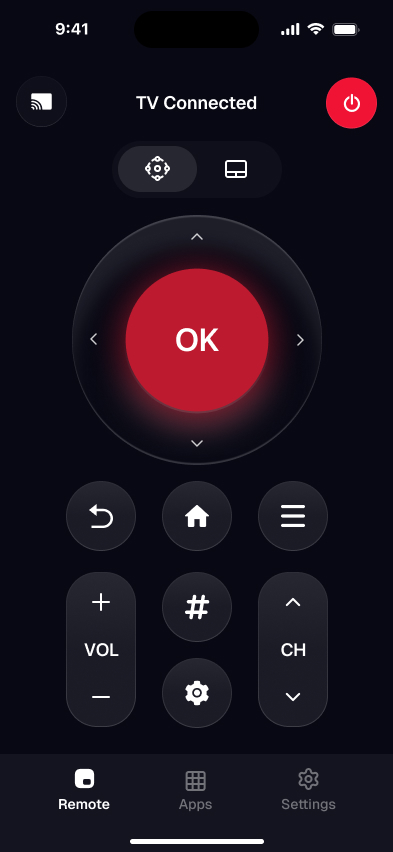
Smart TV Remote turns your phone into a TCL Roku remote over Wi-Fi — free, no account.
Smart TV Remote
Free · iOS 16+


Fix 1: Cool an overheating set
A TCL Roku TV that runs hot will restart itself to protect the mainboard. This is the top cause when the set works fine for a while, then reboots — and it costs nothing to rule out. The fix is airflow, not a setting.
- 1Power the TV off and unplug it, then let it cool for 30 minutes. A board that has already tripped its heat cutoff needs to come down before any test means anything.
- 2Clear a few inches of space around every side and the top. Vents sit along the back and top edge — a wall-flush mount, a tight cabinet, or a soundbar laid on top all trap heat.
- 3Move it out of direct sun and off anything warm. A TV above a receiver, a cable box, or a game console bakes in that heat all evening.
- 4Blow the dust out of the rear vents with a can of compressed air. Years of dust inside the vents is a quiet, common cause of heat build-up on older sets.
Catch: if the set restarts within seconds of powering on — cold, before it could ever heat up — this isn't the cause. Skip to Fix 2 or Fix 3. A TV that stays hot to the touch even after cooling and airflow may have a failing fan or heatsink, which is a service repair.
Fix 2: Give it clean, steady power
Random reboots — especially loud-scene reboots or restarts the moment you power on — often trace to power the set can't rely on. A weak strip, a shared outlet, or a failing internal power board all show up this way. Rule out the easy causes before you suspect the board.
- 1Plug the TV straight into a wall outlet, not a power strip or surge protector. A failing strip is the single most common false cause of random Roku reboots — take it out of the loop entirely.
- 2Move it off any outlet shared with a fridge, microwave, or space heater. Those pull big current spikes that can dip the voltage and trip the TV into a restart.
- 3Swap the power cord for a known-good one if yours is loose or frayed. A cable that doesn't seat firmly in the back of the set causes intermittent power the same way a bad strip does.
- 4Run it a while on the wall outlet. If the reboots stop, your strip or shared outlet was the culprit; if they continue on clean wall power, the internal power board is the likely fault.
Catch: reboots that survive clean wall power usually mean failing capacitors on the power board — a repair, not a settings fix. Look up warranty by your model number on TCL's support site. If the set has stopped coming back on at all, treat it as a TCL Roku TV that won't turn on instead.
Fix 3: Clear a bad software update
A reboot loop at the logo, or restarts that started right after an update, point to Roku software — usually an update that installed badly. A clean restart and a fresh update fix most of these, and they keep your channels and sign-ins. Here's the exact path.
- 1Restart Roku from the menu. If the set stays on long enough, open Settings > System > Power > System restart and choose Restart. A clean restart clears the temporary software glitch behind many random reboots, and it keeps your channels and sign-ins.
- 2Install any pending software update. Go to Settings > System > System update > Check now. A half-finished or corrupt Roku update is a top cause of a reboot loop, so let it download and install fully — don't cut the power partway through.
- 3Drain the power first if it reboots too fast. Can't reach the menu before it restarts again? Unplug the TV at the wall for 60 seconds, hold the power button 15 seconds, then plug it straight into the outlet. It boots up steadier and stays on long enough to reach Settings.
Catch: if the set reboots before it ever reaches the home screen, you can't open Settings at all — go straight to the pinhole factory reset in Fix 5. Roku's own restart and update steps are on its support site.
Smart TV Remote
Menus are a pain when the set keeps rebooting mid-tap?
Smart TV Remote drives a TCL Roku TV over Wi-Fi — one free app, no sign-in, real keyboard for search.
Smart TV Remote
Free · iOS 16+
Fix 4: Isolate a crashing app or HDMI device
If the restart always happens when you open one channel, or fires at random the moment an HDMI device wakes, the whole TV isn't at fault — one thing on it is. This is worth doing before a factory reset, because it keeps everything else intact.
- 1Restarts on one channel? Remove and reinstall it. Highlight the channel on the Home screen, press the * button, choose Remove channel, then add it back from the Channel Store for a clean copy.
- 2Clear the system cache too. A bloated cache crashes apps and forces reboots — the full steps are in our clear-cache guide, linked below.
- 3Unplug every HDMI device — streaming sticks, consoles, cable boxes, soundbars. Then run the TV on its own tuner or built-in apps for a while.
- 4Add HDMI devices back one at a time. When the restarts return, the last device you plugged in — or its CEC handshake — is the cause. Swap that cable, or turn off 1-touch play at Settings > System > Control other devices.
Catch: this only helps when the trigger is a specific app or device. If the TV reboots on the Home screen with nothing plugged in, the cause is deeper — heat, power, or system software — so go back to Fix 1 through 3. For the cache steps in full, see how to clear the cache on a Roku TV.
Fix 5: Factory-reset as a last resort
When nothing above sticks and the cause is clearly software, a factory reset reinstalls Roku clean and clears the corrupt update or crashing channel for good. Know that it wipes everything first, so it's the step to try last.
- 1If you can reach the menu, reset from Settings. Go to Settings > System > Advanced system settings > Factory reset, enter the on-screen code, and confirm.
- 2If it reboots before the menu loads, use the pinhole. Find the recessed RESET hole on the back panel near the ports, and press it with a straightened paperclip for about 15 seconds until the standby light blinks.
- 3Let it restart into first-time setup. Re-add Wi-Fi, sign back into your channels, and re-pair the remote. If the reboots are gone, the cause was software — if they return, it's hardware.
Catch: a reset erases every channel, login, and setting — don't reach for it before Fix 1 through 4. To keep controlling the set through setup and after, install Smart TV Remote on your phone, join the same Wi-Fi as the TV, and you have a full remote without hunting for the plastic one.
Which fix matches your symptom
Not every fix fits every symptom. Match what your Roku TV is doing to the likely cause and the fix that addresses it, so you don't waste time on the wrong one.
| Symptom | Likely cause | Start with |
|---|---|---|
| Restarts only after long viewing | Overheating | Fix 1: cool it down |
| Reboots at random or under load | Weak or failing power | Fix 2: steady the power |
| Loops at the boot logo | Corrupt software update | Fix 3, then Fix 5 |
| Restarts opening one app | Crashing channel or cache | Fix 4: isolate the app |
| Reboots when a device wakes | HDMI-CEC or bad cable | Fix 4: isolate HDMI |
My advice: let the timing lead. Heat if it's only after a while, power if it's instant or random, software if it loops at the logo or on one app. Save the factory reset for last, since it wipes the set — and if the reboots outlast a clean reset, the fault is hardware, not something a menu can fix.
Frequently Asked Questions
Why does my TCL Roku TV keep restarting?
Usually one of four things: it overheats after running a while, its power supply is weak or failing, a Roku software update installed badly, or one channel keeps crashing the system. Restarts only after long viewing point to heat; restarts the moment you switch it on point to power or software. Work the fixes in that order.
How do I stop my TCL Roku TV from rebooting over and over?
Break the loop with a power drain first. Unplug the TV for 60 seconds, hold the power button 15 seconds, then plug it straight into the wall. Once it stays on, install any pending update at Settings > System > System update. If it still loops, a factory reset clears a corrupt update — it wipes your channels and sign-ins.
Can overheating make a TCL Roku TV restart?
Yes. A TCL Roku TV that gets too hot will restart itself to protect the board, usually after an hour or two of viewing. Blocked vents, a spot in direct sun, or a tight media cabinet are the common causes. Power it off, clear a few inches around every side and the top, and let it cool before you test again.
Does a bad HDMI device make a Roku TV restart?
It can. A device using HDMI-CEC (Roku calls it 1-touch play) or a failing HDMI cable can send signals that soft-lock or reboot the TV. Unplug every HDMI device, then run the TV alone for a while. If the restarts stop, add devices back one at a time to find the culprit, and swap that cable.
How do I do a system restart on a TCL Roku TV?
Open Settings > System > Power > System restart, then select Restart. This is a clean software reboot that keeps your channels and settings, unlike a factory reset. If the set restarts before you can reach that menu, power-drain it first — unplug for 60 seconds and hold the power button — so it stays on long enough.
Will a factory reset stop my TCL Roku TV from restarting?
Often, if the cause is software. A factory reset reinstalls Roku clean and clears the corrupt update or crashing channel behind most reboot loops. But it erases every channel, login, and setting, so treat it as a last resort. If the restarts continue after a reset, the cause is hardware — the power board or overheating — not software.