Guide
How to Pair a Roku Remote to a TCL Roku TV
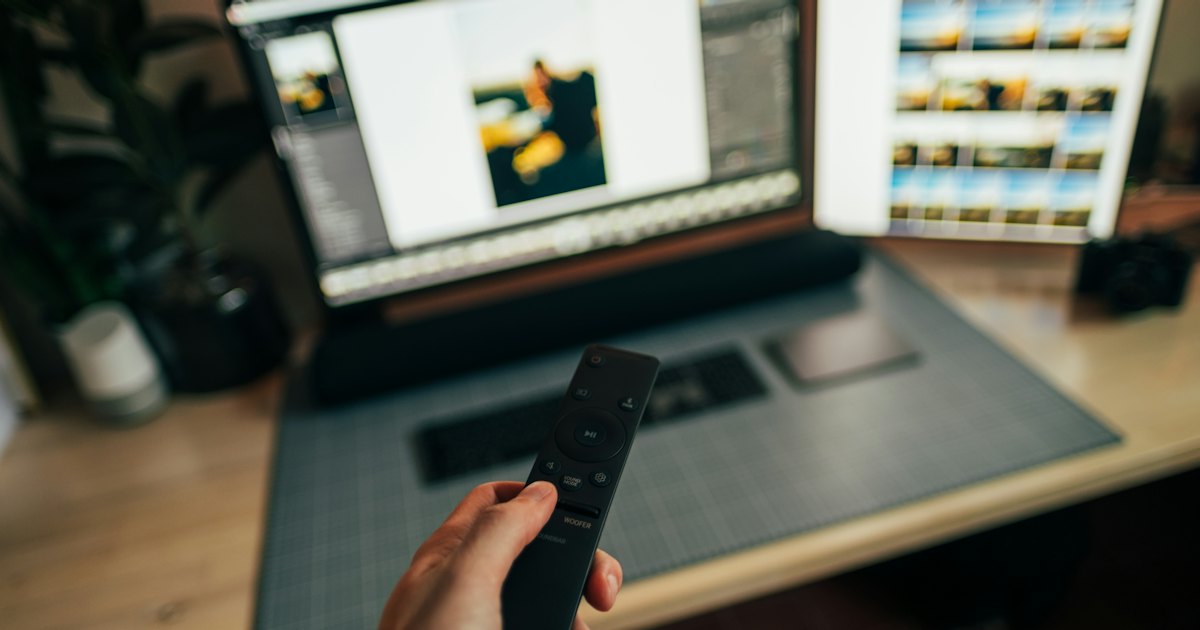
To pair a Roku remote to a TCL TV, hold the pairing button inside the remote's battery compartment for 3 to 5 seconds, until its light flashes. Your TCL Roku TV shows a “Pairing remote…” message, then a checkmark. A plain IR Simple remote has no pairing button — it just points and clicks.
Smart TV Remote
Pairing needs a TV that's on and a Home screen you can reach — awkward when the remote is the thing that's broken. You can run the TV from your phone in the meantime.
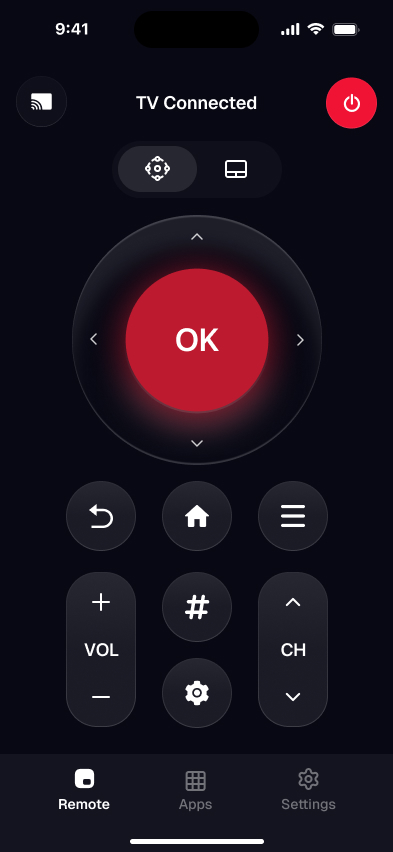
Smart TV Remote puts a full D-pad and Home button on your phone over Wi-Fi — free, no account, no pairing button.
Smart TV Remote
Free · iOS 16+


On this page
I've paired Roku remotes to a stack of TCL Roku TVs — a 55-inch TCL 4-Series (55S451) with the enhanced voice remote, and an older 3-Series (32S327) that shipped with the plain IR clicker. My honest take: the voice remote is the fussy one, because its pairing button hides in the battery bay and a half-dead cell quietly blocks the handshake. Fresh batteries fix it more often than any amount of button-holding.
Before you start, work out which Roku remote you're holding. TCL Roku TVs ship one of two, and only one of them pairs at all. Guess wrong and you'll spend ten minutes hunting for a pairing button that was never there. The 30-second test sorts it.
The 30-second test
Look at the remote in your hand and answer one question. The right method depends entirely on which Roku remote you've got.
- 1Has a microphone or a voice/⭐ button, and a pairing button in the battery bay? That's a Roku enhanced (voice) remote — it pairs over radio. Method 1.
- 2A slim clicker with no mic, no pairing button in the bay, and a purple/pink accent? That's a Roku Simple remote — it's infrared and doesn't pair. Method 2.
- 3A brand-new or replacement remote you just bought? Check it's sold for a TCL Roku TV before you pair — Method 3 has the compatibility rules.
- 4The remote flashes or the TV sees it, but pairing never finishes? Go to Fix 4.
Want the full breakdown of every Roku remote button and how to program TV power? Our TCL Roku remote guide covers the whole remote, not just pairing.
Method 1: Pair a Roku voice remote to your TCL TV
This is the common case. The Roku enhanced (voice) remote pairs to your TCL Roku TV over a private radio link, not infrared, so it works without line of sight — but it needs a pairing handshake to start. Most re-pair in under a minute once the batteries are fresh.
- 1Put fresh batteries in the remote. Slide off the back cover and drop in fresh AAA cells. A weak battery is the number-one reason a Roku voice remote won't pair or drops its link, so start here even if the old ones seem fine.
- 2Turn the TCL TV on and reach the Roku Home screen. The remote pairs to a TV that's already awake. If your remote is dead, press the physical power button on the back or bottom of the TCL set to switch it on. Let the Roku Home screen finish loading first.
- 3Hold the pairing button in the battery bay. Look inside the battery compartment, usually just below the batteries, for a small pairing button. Press and hold it for 3 to 5 seconds until the status light on the remote flashes. That flash means it's in pairing mode.
- 4Wait for the on-screen confirmation. The TCL Roku TV shows “Pairing remote…” and then a checkmark, usually within 30 seconds. Once it confirms, the remote runs power, volume, navigation, and voice search. If nothing appears, jump to Fix 4.
A voice remote also auto-pairs the first time you power up a brand-new TCL Roku TV, so a factory-fresh set often needs no button at all. Roku's own remote-pairing walkthrough has photos if you want to double-check the button location.
When it won't work: if the light never flashes, the batteries are dead or the button is stuck — see Fix 4. If there's no pairing button in the bay at all, you're holding a Roku Simple remote, so skip to Method 2.
Method 2: Set up a Roku Simple IR remote
Here's the honest bit. The Roku Simple remote — the slim clicker with no mic and no pairing button — never pairs. It sends a beam of infrared light to the sensor on the front of the TCL TV, so there's no handshake to complete. If you're hunting for a pairing button on one of these, you won't find it.
- 1Point it at the TV. IR needs a clear line of sight to the sensor, usually bottom-center or bottom-right of the TCL panel. Stand within about 15 feet.
- 2Confirm it's really IR: no microphone, no voice button, and no pairing button in the battery bay. If all three are missing, it's a Simple remote.
- 3Test the emitter: point the remote at your phone's camera and press a button. A faint light blink on the camera screen means the remote is sending — so it was never a pairing problem.
- 4TV power and volume not responding? A Simple remote controls those only when it's the right model for your set. If it's an off-brand clicker, program it with a code instead.
If the Simple remote does nothing after fresh batteries and a clear aim, the sensor or the remote may be faulty — our Roku-remote-not-working guide covers the sensor test. Programming a universal clicker for TCL power and volume? You do that with a TCL Roku TV remote code, not a pairing button.
Smart TV Remote
Waiting on a replacement Roku remote to arrive? You don't have to lose the TV for a week — a phone app fills the gap the moment it lands.
Smart TV Remote gives you a D-pad, Home, volume, and a keyboard over Wi-Fi, free, until the new remote turns up.
Smart TV Remote
Free · iOS 16+
Method 3: Pair a replacement or new Roku remote
Bought a new Roku remote to replace a lost one? The pairing steps are the same as Method 1 — but only if the remote is actually compatible with a TCL Roku TV. This is where most “it won't pair” cases actually start, so check the fit first.
- 1Match it to a Roku TV, not a Roku player. A voice remote from a Roku Express, Streaming Stick, or Ultra is locked to that box and won't pair to a TCL Roku TV. Buy one sold as a Roku TV replacement remote.
- 2Pick voice if you want radio pairing. A genuine Roku Voice Remote (or Voice Remote Pro) for TVs pairs with the battery-bay button, exactly like Method 1.
- 3Fit fresh batteries, turn the TCL TV on, and hold the pairing button 3 to 5 seconds until the light flashes. Wait for the on-screen “Pairing remote…” confirmation.
- 4Choosing an IR replacement? It needs no pairing — but confirm it lists TCL Roku TV support, or TV power and volume won't work even though navigation does.
My rule: for a replacement, buy the Roku-branded TV voice remote or a third-party one that names TCL Roku TVs on the box. Cheap “fits all Roku” clickers often skip TV power. If you're still choosing, our full Roku remote guide lists the models that work.
Fix 4: Roku remote won't pair to the TCL TV
The remote flashes or the TV sees it, but pairing never sticks. Work through these by symptom — almost every failure is batteries, distance, or a stuck link, not a broken remote.
- 1Light never flashes: the batteries are too weak to power the radio. Fit a fresh set — this fixes most no-pair cases on the voice remote.
- 2TV never shows a pairing message: you're too far or something's blocking it. Pair within a few feet, with clear space between the remote and the TCL set.
- 3It flashes but won't connect: reset the handshake. Pull the batteries, unplug the TCL TV for 60 seconds, plug it back in, reinsert the batteries, and hold the pairing button again.
- 4Still stuck: restart the TV from Settings > System > Power > System restart (use another remote or the phone app to reach it), wait for the Home screen, then re-pair from step 3 of Method 1.
- 5Nothing at all: the remote may be dead, or it's a player remote that can't pair to a TV. Confirm the model with Method 3, or use the phone app while you order a replacement.
If none of that works, you don't have to wait for a replacement to use the TV. Install Smart TV Remote on your phone, join the same Wi-Fi as the TCL Roku TV, and tap Connect. You get an on-screen D-pad, Home button, volume, and a keyboard — enough to run the set fully while you sort out the hardware remote or order a new one.
The app connects over the network, so there's no pairing button to press — but the TV must already be on and on Wi-Fi. If it won't power on, fix that first.
Which Roku remotes pair with a TCL Roku TV
Not every Roku remote pairs to a TCL Roku TV, and only some handle TV power and volume. Match yours to a row before you spend time on a button that was never going to work.
| Roku remote | Pairs to a TCL Roku TV? | How | TV power / volume |
|---|---|---|---|
| Roku Voice Remote (for TVs) | Yes | Battery-bay pairing button | Yes |
| Roku Simple remote (IR) | No pairing — line of sight | Point at the sensor | Only on the matching model |
| Roku player remote (Express/Stick/Ultra) | No — tied to the player | — | No |
| TCL Roku TV replacement remote | Yes, if sold for Roku TVs | Pairing button or IR | Yes, if it lists TCL |
| Phone app | No remote needed | Wi-Fi — tap Connect | Yes |
My advice: fit fresh batteries before you try any pairing, and if you're buying a replacement, spend a few dollars more on one that names TCL Roku TVs. It's the difference between a remote that just navigates and one that also runs power and volume. Still not sure which remote you have? Start with the general TCL pairing guide or check TCL's support site.
Frequently Asked Questions
How do I pair a Roku remote to my TCL TV?
Hold the pairing button inside the remote's battery compartment for 3 to 5 seconds, until the light on the remote flashes. Your TCL Roku TV then shows a “Pairing remote…” message and confirms with a checkmark. This works for the enhanced voice remote. A plain IR Simple remote has no pairing button and needs no pairing.
Where is the pairing button on a TCL Roku remote?
It's inside the battery compartment, usually below the batteries. Slide off the back cover and look for a small round button, sometimes marked with a pairing icon. Hold it 3 to 5 seconds until the light on the front flashes. If there's no button in the bay, you have a Roku Simple remote — those are IR and don't pair.
Does a Roku player's remote work on a TCL Roku TV?
Usually no. A voice remote bundled with a Roku Express, Streaming Stick, or Ultra is tied to that player and won't pair to a TCL Roku TV. Buy a remote sold as a TCL Roku TV replacement instead. A basic IR Roku remote can control any Roku TV in line of sight, but it won't handle TV power or volume unless it's the right model.
Why won't my Roku remote pair to my TCL TV?
Weak batteries are the usual cause, so swap them first. Then pair within a few feet of the TV, with nothing blocking it. If the remote still won't enter pairing mode, unplug the TCL TV for 60 seconds, plug it back in, wait for the Home screen, and try again. A remote whose light never flashes may be faulty.
Do I need to pair a Roku Simple remote?
No. The Roku Simple remote — the slim clicker with no mic and no pairing button — is infrared, so it never pairs. You just point it at the TCL TV's sensor and press. If a pairing guide isn't working, check the battery bay: no button there means there's nothing to sync.
Can I control my TCL Roku TV without a Roku remote?
Yes. A free phone app controls a TCL Roku TV over Wi-Fi, with no pairing button and no Roku remote at all — both devices just join the same network. It's the fastest fallback while a remote is dead or on order. Install Smart TV Remote, tap Connect, and pick your TV for an on-screen D-pad and keyboard.